

TL;DR
- An AI agent can sit behind a chat interface, but it can also choose and use tools to act. It has three parts: a model (the reasoning), tools (the actions it can take), and instructions (the guidance), per OpenAI's documented definition.
- There are 3 routes to add an agent: embed via API, use a platform with agent features (such as Base44), or add an automation layer on top of your existing app. Pick the route before you pick the tool.
- In a 2025 forecast, Gartner predicted 40% of enterprise apps will feature task-specific AI agents by the end of 2026, up from under 5% in 2025.
- But Gartner’s 2025 forecast also predicted over 40% of agentic AI projects to be canceled by the end of 2027, mostly from escalating costs and unclear value. Scope narrow and test hard.
- Watch for "agent washing": a 2025 Gartner estimate put the number at about 130 of thousands of vendors offer genuine agentic features.
- Choose a no-code platform if you have no app yet and want speed; choose an automation layer to add one action to an existing app; choose the API route if you need full control and have developer help.
👉 Skip guessing which route fits: MoreMagpie is being developed to help you compare agent-build approaches, see each one's catch, and carry a clearer brief into your usual AI builder. Join the waitlist.
Your App Does Something. But Does It Actually Do Anything for the User?
Your app replies. A user asks, it answers. Fine.
But an AI agent is different. It acts. It checks a calendar, drafts a reply, updates a record, and moves on, within the permissions and approval steps the application actually enforces.
Most guides for this topic jump straight to "here's how to do it in our tool." That is the problem. You end up locked into one platform before you understand the trade-offs.
The first answer isn't the whole picture. Before you copy a vendor tutorial, you need to see the routes side by side and pick the one that fits your situation.
This guide is tool-neutral. It walks you through what an agent actually is, the three ways to add one, and five steps you can follow with any builder.
Here's what we'll cover:
- the 3 ways to add an agent
- nail the agent's job first
- pick your route before your tool
- wire up model, tools, guardrails
- test before real users touch it
- ship narrow, then expand
What an AI Agent Actually Is (Before You Build One)
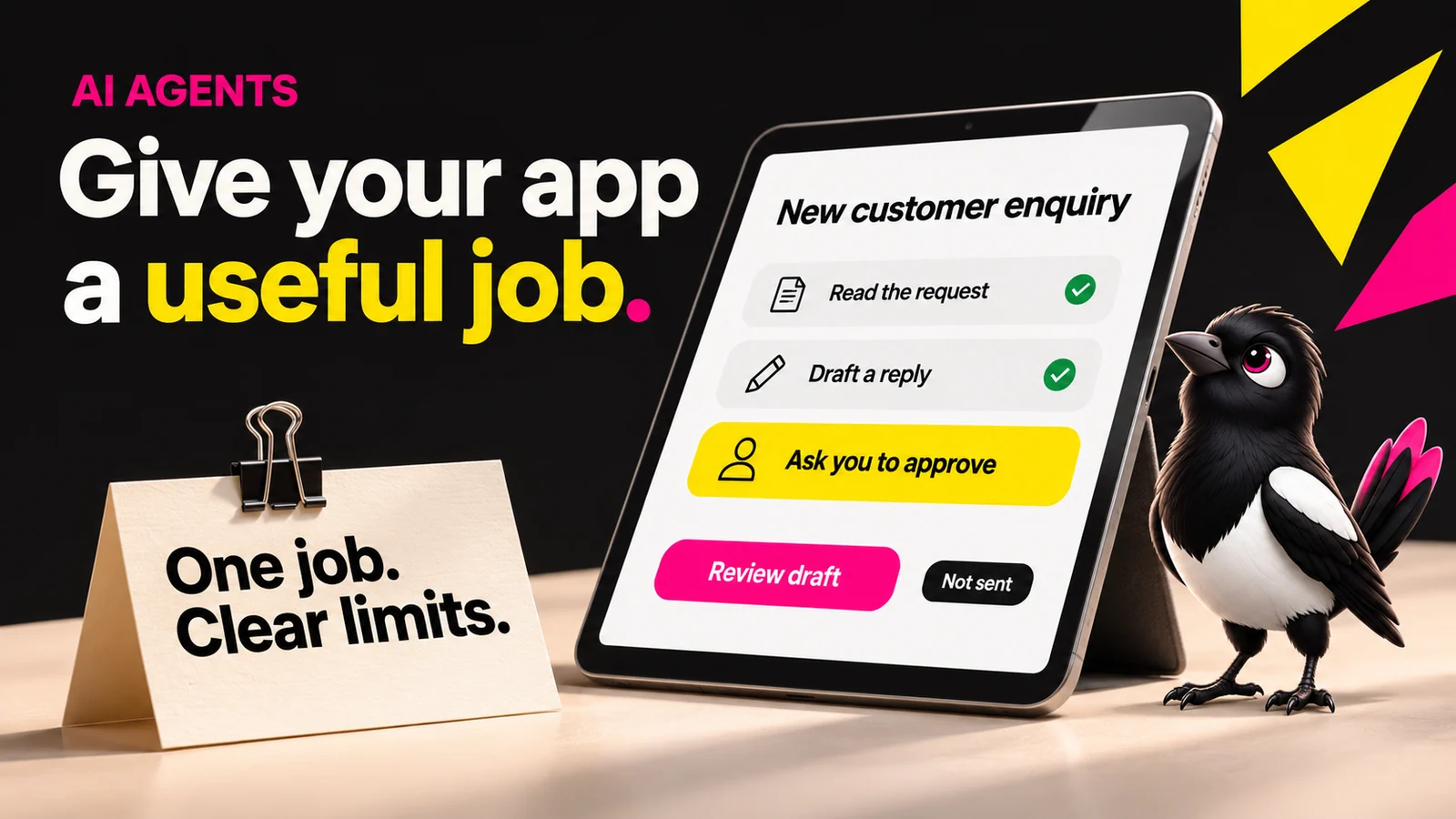
About this illustration
AI-generated editorial illustration. Devices and interfaces are illustrative, not screenshots of tested products or proof of integration.
An AI agent is a goal-driven piece of software that uses a language model to decide which actions to take, then takes them using the tools it has been given. Chat is an interface: a chat product may simply reply, or it may use an agent behind the scenes.
According to OpenAI, an agent has three core components: the model (the LLM powering its reasoning), the tools (external functions or APIs it can call to do things), and the instructions (the guidelines and guardrails defining how it behaves). Documented, straight from OpenAI's practical guide.
Here is a real-life example. A support agent receives a refund request, reads the order history from your database, checks it against your refund policy, and either issues the refund or escalates to a human. The model can choose steps, but the application must enforce refund limits and approvals. A model’s decision alone is not permission to move money.
That is the leap. An agent can choose actions toward a goal. The application, not just the prompt, must enforce its limits.
One honest note: not all three components take the same effort to wire up. The model is the easy part. The tools and the guardrails are where most of the work lives.
The Three Routes for Adding an Agent to Your App
There is no single "right" way to add an agent. There are three routes, and they fit different situations. The tool you pick is a separate decision from the route you take.
Route 1: Embed via API. What it does: you connect a model from a provider such as OpenAI directly to your app's code and wire the tools yourself. Why it helps: full control over behaviour, tools, and cost. The catch: you need someone who can read and write code. More freedom, more responsibility.
Route 2: No-code platform with native agents. What it does: Base44 documents native app agents. Other visual builders need integrations: Bubble’s API Connector, for example, can call external services, but an API connection alone is not an autonomous agent. Why it helps: can reduce setup for supported jobs. The catch: platform lock-in, and you are limited to what that platform supports.
Route 3: Automation layer on an existing app. What it does: a workflow tool like Make sits on top of your current app and triggers an agent for one specific job. Why it helps: least disruptive, you do not rebuild anything. The catch: narrower scope. It automates one flow, not your whole product.
Here is one more catch that applies across all three. Gartner’s June 2025 release warned about vendors relabelling ordinary automation as agents. Its vendor estimate was an estimate at that time, not an audit of today’s products. Check what a tool can actually do.
Not every "agent" is an agent.
| Route | Best For | Effort Level | Honest Catch |
|---|---|---|---|
| API (e.g. OpenAI) | Full control, custom tools | High, needs code | You own the wiring and the bugs |
| Platform with native agents (e.g. Base44) | Building within its supported features | Varies by job | Platform lock-in and feature limits |
| Automation layer (Make) | Connecting a bounded job to an existing app | Varies by workflow | Permissions, tool availability and run limits |
Step 1: Define the Job Your Agent Will Do
Scope the agent's job before you touch any tool. One job, clearly defined.
Why it matters: Gartner expects over 40% of agentic AI projects to be canceled by the end of 2027, largely from escalating costs and unclear business value. A vague brief is how you get there. An agent with no clear limits loops, hallucinates tool calls, and burns tokens.
Write a job statement with four parts: the trigger, the goal, the tools it needs, and what it must not do.
For example, you could write: "When a new lead fills out the contact form, look up their company, draft a personalised first reply, and add a task to the CRM. Do not send the email without human approval."
That last line states the rule. Enforce it in the sending tool too: a prompt alone is not a security boundary.
Step 2: Choose Your Build Route (Before You Choose a Tool)
Decide your route before you name a single platform. This is the step most tutorials skip by jumping straight to "here's how in our tool."
Why it matters: the route shapes your cost, your control, and whether you can change your mind later. Pick the tool first and you are reverse-engineering the approach to fit it.
Use this simple filter:
- Do you already have an app? If yes, lean toward an automation layer or API. If no, a no-code platform is likely faster.
- Does the agent need to act across multiple systems? If yes, API or a multi-step automation. If no, a single-platform native agent is enough.
- Can your team read and edit code? If yes, the API route is open to you. If no, stay with no-code or automation.
Three questions. That is the whole decision filter.
For example, you could be a solo founder with no app yet who wants an agent that qualifies leads. That points to a no-code platform. A developer with an existing SaaS who needs an agent touching three internal systems points to the API route.
Step 3: Wire the Agent's Three Components
Now you build the three parts: model, tools, and instructions. The work looks different on each route, but the components are the same.
The model. This is the reasoning engine. On the API route, you add an API key and choose a model. On a no-code platform, you pick from a dropdown. On an automation layer, you connect the model as a step. For example, you could start with a general model for drafting text, then switch to a cheaper or faster one once you know your volume.
The tools. This is what lets the agent act, not just talk. Tool calling means the agent can search the web, read or write to a database, send an email, or update a CRM. On no-code platforms you attach these as blocks. On the API route you define each one in code. For example, you could give a support agent exactly two tools: read order history, and issue refund. Nothing more.
The instructions. This is the model’s guidance, backed by controls in your application. Write plainly what the agent should do, in what order, and what it must never do. Vague instructions produce vague agents. Keep credentials server-side, restrict tool permissions, and enforce spending and action limits outside the model. For example, you could write: "Always confirm the order ID before issuing any refund. Never refund orders older than 30 days without escalating."
MoreMagpie is being developed to explain how these pieces connect. Official documentation can support a capability claim, but it does not prove that a particular integration has been run successfully.
Step 4: Test the Agent Before It Touches Real Users
Test hard before launch. Tool-using agents introduce failures beyond incorrect text replies. They loop, they call tools in the wrong order, they hit rate limits, and they invent tool calls that do not exist.
Why it matters: the same Gartner forecast ties project cancellations to escalating costs and inadequate risk controls. Testing is where you catch both before they cost you.
Run this five-point pre-launch checklist:
- Happy path: does it complete the job when everything goes right?
- Bad input: feed it junk. Does it fail gracefully or spiral?
- Tool failure: simulate a down API. What does the agent do when the CRM does not respond?
- Cost check: count model tokens, paid tool calls, retries and infrastructure per completed job. Add hard step and spend limits. Can you afford the expected volume?
- Human gate: for any high-stakes action, like sending money or emails, is there an enforced approval step? Also test malicious instructions hidden in documents or tool responses: source content must not become permission to act.
Skip the cost check and you find out the expensive way.
Step 5: Ship It, Watch It, and Narrow the Scope
Ship narrow. One trigger, one action, one small group of users. Resist the urge to launch the ambitious version first.
Why it matters: a pilot and a reliable production service are different things. Capgemini’s 2025 survey reported 2% fully scaled deployment and 12% partial deployment among its respondents. Those survey results do not measure all businesses in 2026.
Once live, monitor three things: cost per run, task completion rate, and failure type (a loop, a wrong tool call, or a guardrail breach).
Expand only after the agent meets defined quality, safety and cost checks on realistic cases. Two quiet weeks alone do not prove readiness, especially with little traffic.
A quick word on multi-agent systems, where one agent calls another. For example, a research agent hands findings to a writing agent that hands a draft to an editing agent. That is powerful, but it is not where you start. Get one agent reliable first.
Common Mistakes When Adding AI Agents to an App
Three mistakes sink most first agents. All three are avoidable.
Mistake 1: Skipping the approach decision. Copying a vendor tutorial verbatim locks you into one platform before you understand the trade-offs. You inherit their defaults and their limits. Decide your route first, every time.
Mistake 2: Giving the agent too many tools at once. More tools means more ways for the agent to route unpredictably, which inflates cost and failure rates. Start with the minimum tools the job needs. Add more only when a run clearly requires it.
Mistake 3: Falling for agent washing. Gartner’s 2025 estimate put genuinely agentic vendors at about 130, but that is not a current certification list. Some platforms call a scripted, rules-based flow an "agent." Before you commit, ask: can it reason and choose its own actions, or does it just follow a fixed script?
Reading the label is not the same as reading the fine print.
How MoreMagpie Helps You Pick the Right Agent Approach
MoreMagpie is in development, with the waitlist open. This section describes the experience being built, not a promise that every route in this guide is available in the public app.
The hardest part of this whole process is the part no tutorial covers: deciding which route fits before you commit. That is exactly what MoreMagpie is built for.
MoreMagpie is a companion for non-technical founders and AI builders. It does not replace your AI builder. It helps you bring that builder a better brief. The intended public journey has four parts:
- Describe your idea: tell it the job your agent needs to do.
- Explore more possibilities: see the three build routes with their trade-offs surfaced, not a single recommendation presented as the only option.
- Understand the benefits, costs, and catches: for each route, it shows what it does, why it helps, how it connects, and the costs, limits, and open questions, including things like platform lock-in and testing gaps.
- Take it into your build: carry the decisions and next checks into your usual builder, so you know what to ask and what still needs checking.
Three aims for this experience. Approach comparison: compare routes rather than handing you one. Catch surfacing: name the cost, lock-in, and testing gaps alongside each benefit. A clearer brief: explain what to ask your AI builder and what to verify yourself.
Honest status: MoreMagpie is early and currently gathering waitlist signups. There is no paid tier to quote yet. If comparing agent-build approaches before you commit sounds useful, join the waitlist.
Frequently Asked Questions
What does an AI agent do?
An AI agent uses a model to choose actions toward a goal, then uses tools it has been allowed to call. It may be presented through chat or run behind another interface. Access rules, approvals and spending limits should be enforced by the application.
Can I integrate AI into my app without coding experience?
Some platforms, such as Base44, offer built-in agent features. Other builders connect models through APIs or workflows, while tools such as Make can add automation around an existing app. Check the exact agent features and permissions rather than assuming every AI integration is an agent.
Should I use a plugin or an API to add AI to my app?
Use a plugin or no-code platform if you want speed and little to no code. Use an API if you need full control over the model, tools, and behaviour. The trade-off is cost and complexity: the API route is more flexible but requires someone who can read and write code.
Do I need a framework to build my first agent?
No. You can implement a narrow tool-calling loop directly, or use a platform that manages it. An SDK can help organise the work but is not mandatory. Start with the simplest approach that enforces the permissions and checks your job needs.
What percentage of businesses are using AI agents in 2026?
There is no single current percentage for all businesses. Gartner predicted in August 2025 that 40% of enterprise apps would include task-specific agents by the end of 2026. That was a forecast about apps, not a measured adoption rate for businesses today.
Do AI agent projects actually fail?
Projects can fail or be cancelled. Gartner’s June 2025 forecast predicted cancellation of over 40% of agentic AI projects by the end of 2027, citing costs, uncertain value and inadequate risk controls. This is a forecast, not an observed failure rate for all agents.
Putting It Together: Which Route Fits Where You Are Right Now
Adding an AI agent to an app comes down to one honest decision made early: which route, before which tool. Match it to where you are right now.
- No existing app, want to ship fast: use a no-code platform with native agents.
- Existing app, want to add one specific automated action: use an automation or workflow layer.
- Existing app, need full control, have or can hire a developer: use the API route.
One reality check. It is easy to underestimate the ongoing cost and the monitoring burden after launch. Given that Gartner expects over 40% of agentic projects to be canceled by 2027, narrow scope and a clear brief beat ambitious scope every time.
If you want to see all three routes compared, with each one's catch stated plainly, and walk away with a brief for your usual builder, that is what MoreMagpie is for. Join the waitlist at moremagpie.com and bring your next agent a clearer plan.