
TL;DR
- Build vs buy software is no longer a two-way choice. In 2026 there are four paths: buy off-the-shelf SaaS, build custom, buy-and-extend a platform, or AI-assisted build.
- A useful first lens is core-vs-context: consider building what makes you different and buying standard capabilities. Cost, compliance and maintenance can still change the answer.
- Compare the whole-life cost: setup, subscriptions, usage, maintenance and the cost of leaving. There is no universal build percentage or break-even month.
- SaaS has its own catch: unused seats, usage charges, price changes and migration work can make the starting price misleading.
- AI-assisted build can reduce some coding work, but it does not remove testing or maintenance. Compare equivalent scopes rather than treating a quoted MVP price as a market rule.
- Choose buy for context work any company needs; choose build for the core thing that makes your product distinct; choose vibe-code when the scope is small and the differentiation is real but the budget is not.
👉 Skip the guesswork on approaches and trade-offs: MoreMagpie is being built to help you explore worthwhile paths before you commit, join the waitlist.
Still Treating "Build vs Buy" as a Two-Option Problem?
Picture this. You describe your idea to an AI builder on a Tuesday night. By Wednesday you have a working quote and a demo. Suddenly "just build it" feels obvious.
That instinct used to be expensive and slow. AI can make an initial demo faster to produce, although a dependable product still needs work. Which is exactly why the old build-vs-buy advice fails you.
Most guides still frame this as custom development versus a SaaS subscription. That binary is from a world before AI builders. Buy-and-extend has long been an option, and AI-assisted development adds another way to do the building work.
For non-technical founders, a convincing demo can make “just build it” feel settled before the costs and responsibilities are clear. That is why the comparison matters.
Here's what we'll cover:
- what it really means now
- the 4 lanes, not 2
- the fastest way to decide
- what each path really costs
- 6 questions that settle it
- the catches nobody headlines
What "Build vs Buy Software" Actually Means in 2026
Build vs buy software is the decision between creating a custom tool yourself and licensing an existing product someone else maintains. Build can give you more control over code and the roadmap; ownership still depends on contracts and licences. Buy means you rent the capability and let a vendor handle upkeep. You can also combine purchased platforms with custom code, and use AI to assist that code.
These are four useful lenses, not mutually exclusive categories. AI-assisted development is still a form of building.
The classic binary still holds at the edges. Custom build gives you control and fit. Off-the-shelf SaaS gives you speed and a maintenance team you do not have to hire.
But between them sit buy-and-extend (take a platform, add the glue) and AI-assisted build (ship a working product yourself with an AI builder). These are not footnotes anymore. For non-technical founders, they are often the two most relevant lanes.
The Four Paths You Are Actually Choosing Between
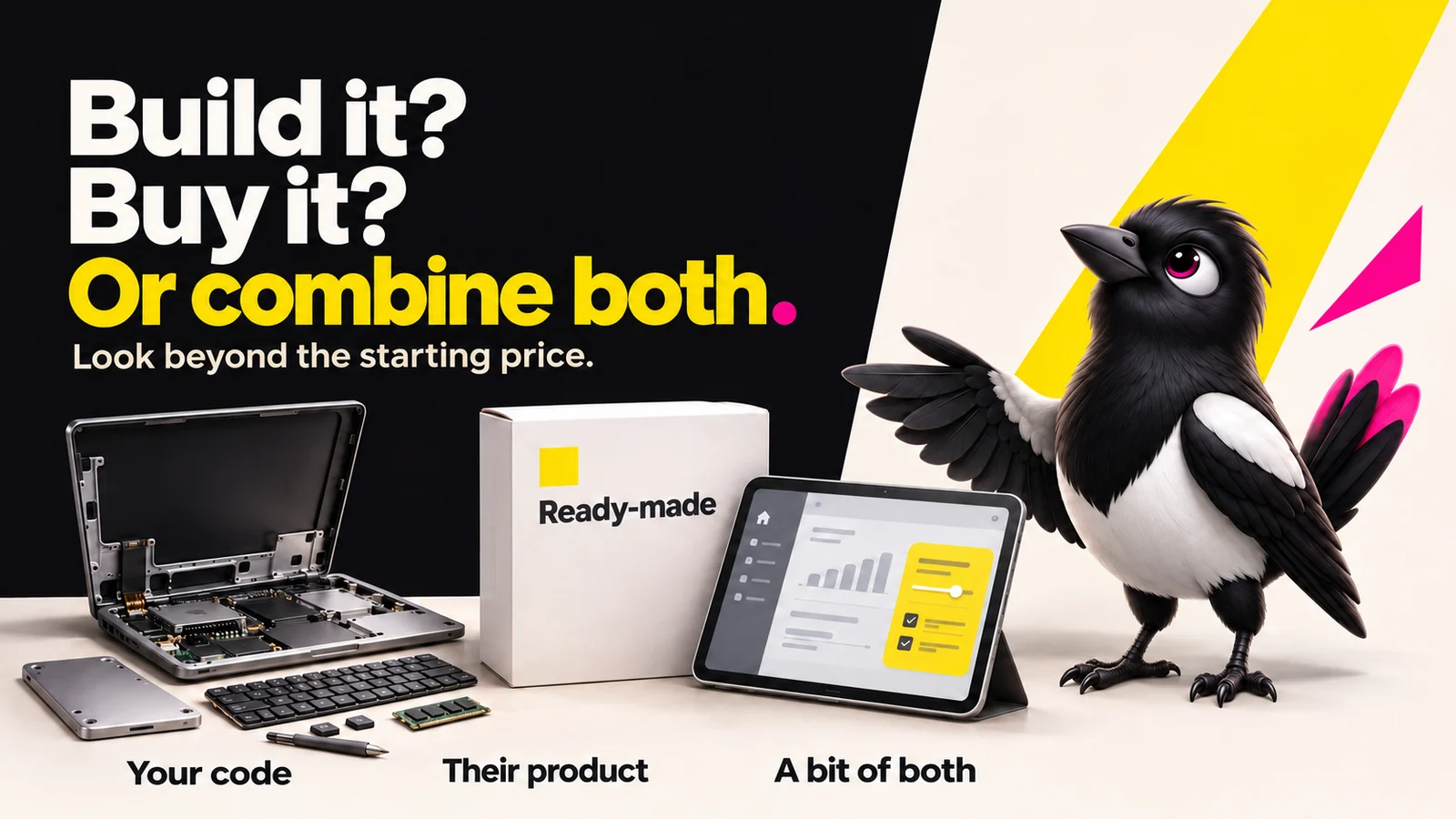
About this illustration
AI-generated editorial illustration. Devices and interfaces are illustrative, not screenshots of tested products or proof of integration.
Here is the honest map. Four lanes, each with a real cost and a real catch.
1. Buy off-the-shelf SaaS. What it is: subscribe to an existing product like a CRM or a billing tool. The catch: you fit your process to their software, and you do not own the vendor’s software. Your rights to data and exports depend on the contract.
2. Build custom. What it is: a dev team or agency builds exactly what you describe. The catch: you take responsibility for bugs and maintenance; confirm code ownership and third-party licences.
3. Buy a platform and extend it. What it is: take something like Snowflake, Databricks, or dbt and build only the glue that is specific to you. The catch: you still write and maintain that glue, and you inherit the platform's limits.
4. AI-assisted build (vibe-code). What it is: describe your idea to an AI builder and ship a working version yourself. The catch: cheap to start, but the maintenance tail does not disappear just because a human did not type the code.
Most guides only show you lanes 1 and 2. That leaves founders blind to the two paths that changed the math.
AI can change the cost of producing code. It does not establish a universal $3,000-to-$8,000 MVP or a like-for-like saving against a development team. Compare the same requirements, technical checks and ongoing support.
The first answer an AI gives you is rarely the whole picture. Seeing all four lanes is the point.
The Core-vs-Context Rule: The Fastest Way to Pick a Path
If you only use one lens, use this one. It is a starting filter, not a substitute for the constraints below.
The rule: build your core, buy your context.
Core is the work that differentiates you. It is what customers pay a premium for and what competitors cannot easily copy. Context is everything else: the work every company does, where doing it differently wins you nothing (Codestringers, via Geoffrey Moore).
Martin Fowler describes a related utility-versus-strategic distinction: standard capabilities and the software that supports your distinctive business deserve different investment decisions.
In practice, that means two quick examples.
For many companies, a CRM is a standard capability worth buying. You will not win customers because your contact database is handcrafted.
A matching algorithm is core for a marketplace. That is the thing people use you for. Consider building or extending that part, while checking whether an existing service already meets your needs.
The Real Numbers: What Build vs Buy Actually Costs
The sticker price is only part of the story. Compare the same scope over a realistic operating period.
| Path | Starting costs | Ongoing costs | Exit costs to check |
|---|---|---|---|
| Buy SaaS | Setup, migration and initial subscription | Seats, usage, integrations and support | Export, replacement and data migration |
| Build custom | Design, development and review | Hosting, security, maintenance and support | Handing over or replacing the code |
| Buy and extend | Platform setup plus custom integration | Subscription and maintenance of extensions | Replacing platform-specific behaviour |
| AI-assisted build | Builder/model use, your time and technical review | Services, fixes, monitoring and support | Code export, documentation and handover |
A worked example, not a market benchmark: a $50/month subscription is $1,800 over three years before extras. A $1,000 initial build plus $30/month hosting is $2,080 before maintenance. Change those assumptions and the answer changes. This arithmetic does not imply the products have equal features.
The maintenance tail matters. Include fixes, security updates, support and whoever will do that work.
There is no universal break-even month. It depends on usage, scope, pricing changes and maintenance.
SaaS can waste money quietly. Review unused seats and feature tiers rather than paying for capacity you do not use.
AI does not remove ownership costs. Faster code generation can help, but testing, hosting and ongoing care remain.
Run both a low-usage and a growth scenario. Use real quotes and your expected workload, not a generic percentage.
Six Questions That Force the Decision
Skip the weighted matrix. For a non-technical founder, six honest questions do the job. For each, note which answer points toward build and which points toward buy.
- Is this core or context? If it differentiates you, lean build. If every company does it the same way, buy.
- How fast do you need it? Compare a ready-made product with a tightly scoped build. Neither AI nor a developer makes every deadline realistic.
- What is the real cost over three to five years? Compare actual subscriptions, usage and maintenance across both horizons. Heavy usage does not automatically make custom software cheaper.
- Can you maintain it internally? No one to fix it at 2 a.m. means buy. A codebase you cannot maintain is a liability, not an asset.
- What are your compliance and data-control needs? Check each option against the exact requirements. Managed services may meet them; custom code is not automatically compliant.
- How much vendor lock-in can you tolerate? Comfortable renting the capability? Buy. Afraid of a vendor pivot killing your product? Build or extend.
Do not decide by a simple vote. A non-negotiable privacy, capability or maintenance constraint can rule out an option even if it wins the other questions. Where options remain close, test the smallest important uncertainty.
The Risks Nobody Puts in the Headline
Every path has a catch. Naming it early is cheaper than discovering it later.
If you buy: check renewal terms, usage charges, export options and dependence on the vendor’s roadmap. Unused seats and awkward migration can cost more than the headline price suggests.
If you build: allow for changing requirements, security updates and support. A prototype budget is not a guarantee of a maintained production service.
If you vibe-code: cheap to start does not mean cheap to maintain. Generated code needs review, testing and someone able to repair it. The discipline remains even when the typing gets faster.
A cheap build is still a build. It still needs a plan.
How MoreMagpie Helps You Make This Call Before You Commit
MoreMagpie is in development, with the waitlist open. This section describes the experience being built, not a promise that every route in this guide is available in the public app.
Here is the honest framing. MoreMagpie is software being developed to help you choose approaches. It does not build your finished product for you.
The intended role is to help a non-technical founder explore useful paths, understand each one's catch, and carry a clearer brief into their usual AI builder.
It surfaces paths you did not know existed. Instead of accepting the first answer an AI gives you, MoreMagpie aims to show alternative approaches you might never have found. The build-vs-buy call is only as good as the options you can see.
It shows the catch alongside the benefit. For every suggested tool or approach, MoreMagpie aims to show what it does, why it helps, how it connects to the rest, and the costs, limitations, and questions still to answer. That is the discipline this whole decision requires.
It turns your decision into a better brief. The planned journey takes you from your idea to choices you understand and a plan for your builder: describe your idea, explore more possibilities, understand the benefits and catches, then carry the decisions and next checks into your build. It tells you what to ask and what still needs checking.
A note on confidence: MoreMagpie’s evidence model distinguishes Documented (from official sources) or Tested (actually tried, with stated limits), so you always know what you are relying on.
MoreMagpie is early and currently gathering waitlist signups. If this is the stage you are at, join the waitlist.
Frequently Asked Questions
What is the difference between building and buying software?
Building software means creating a custom tool you own and maintain, giving you full control and fit. Buying means licensing an existing product and letting a vendor handle upkeep, giving you speed and a maintenance team. Build favors differentiation and long horizons. Buy favors standard needs and fast time to value.
Is it cheaper to build or buy software?
It depends on scope, usage and who will maintain the result. Compare setup, subscriptions, hosting, fixes, support and exit costs over the same period. No universal multiplier or 33-month break-even point applies to every project.
When should you build software instead of buying it?
Build when the software is core to your business, meaning it differentiates you and competitors cannot easily copy it. Build when you need strict data control, when off-the-shelf options force painful compromises, or when long-term usage makes ownership cheaper. Use the core-vs-context rule: build your core, buy your context.
What are the risks of buying software?
The main risks include vendor dependence, changing prices, unused capacity and difficult migration. Check renewal terms and data exports before committing. These risks vary by vendor and contract, rather than following a fixed price-increase percentage.
What is the build vs buy framework?
The build vs buy framework is a structured way to choose between creating and licensing software. The most useful version is core-vs-context: build what differentiates you, buy what every company does the same way. Pair it with a six-question check on differentiation, time to value, five-year cost, maintenance capacity, compliance, and lock-in tolerance.
What does "configure and extend" mean in a build vs buy decision?
Configure and extend, also called buy-and-extend, means buying a platform and building only the custom glue specific to you. For example, you could run on Snowflake or dbt and build just the pieces competitors cannot copy. It blends buying speed with building fit, while leaving you to maintain the extensions.
Where to Start
The headline takeaway is simple. Build vs buy software in 2026 is a four-lane decision, not a two-way coin flip, and the honest reality is that every lane carries a catch you should name before you commit.
If you are not sure whether your idea is core or context yet: run the six questions first. That one filter prevents most expensive mistakes.
If you have decided to build but have not briefed anyone yet: map your options and understand the catches before you open your AI builder. A cheap build with a vague brief still fails.
If you just want the fastest working version possible: AI-assisted build is now a genuine path, but price a defined scope and include review. Just know the maintenance tail is still yours.
MoreMagpie exists for exactly this moment, before you commit, when you want more possibilities, clearer choices, and a better brief for your AI builder. It is early and gathering signups now, so join the waitlist.