
TL;DR
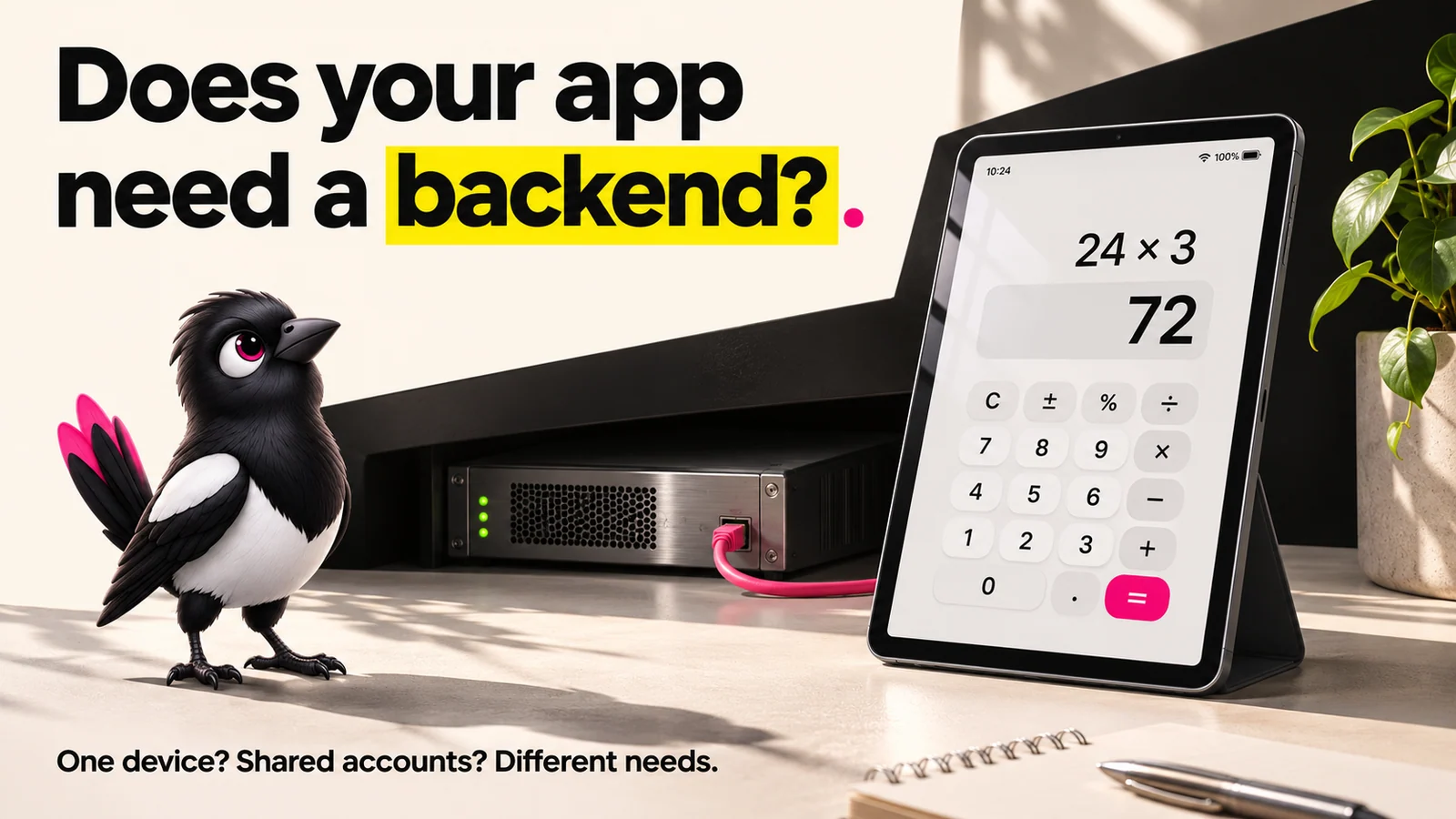
- Not every app needs a backend. A calculator, a flashlight, an offline game, or a static portfolio run fine as frontend-only apps.
- You almost always need a backend the moment you add user accounts, payments, push notifications, or data that is shared or synced between people.
- There are three build paths: third-party APIs, Backend-as-a-Service like Supabase or Firebase, or a custom backend. There is no reliable fixed delivery time or monthly cost for either route; scope, usage and support determine the bill.
- An AI-generated demo can have polished screens without working saving or access controls. If your app forgets everything when you refresh, saving may be missing or broken. That alone does not tell you whether a backend exists.
- Choose frontend-only if no data leaves the device; choose BaaS (Supabase or Firebase) if you need accounts, data, or payments fast; consider custom backend code when your rules, integrations or control needs justify it. Small apps can use custom code too.
👉 Skip the guesswork: MoreMagpie helps you compare these approaches, see the catch before you commit, and hand your AI builder a clearer brief. Join the waitlist.
Your AI Builder Gave You an App. But Does It Have a Backend?
You described your idea to an AI builder. It handed back something that looks like an app. Buttons, screens, maybe a login form.
But refresh the page, and the data is gone.
That is the quiet problem. An AI-generated demo can have convincing screens without working saving or access controls. Other builders include backend services. Check the particular app rather than assuming from its appearance.
Here's what we'll cover:
- what a backend even is
- the apps that skip it entirely
- the features that force your hand
- 3 build paths and real costs
- check what your AI built
This guide answers the question plainly, shows you the three real build paths, and helps you figure out what you already have.
What Is a Backend, Exactly?
About this illustration
AI-generated editorial illustration. Devices and interfaces are illustrative, not screenshots of tested products or proof of integration.
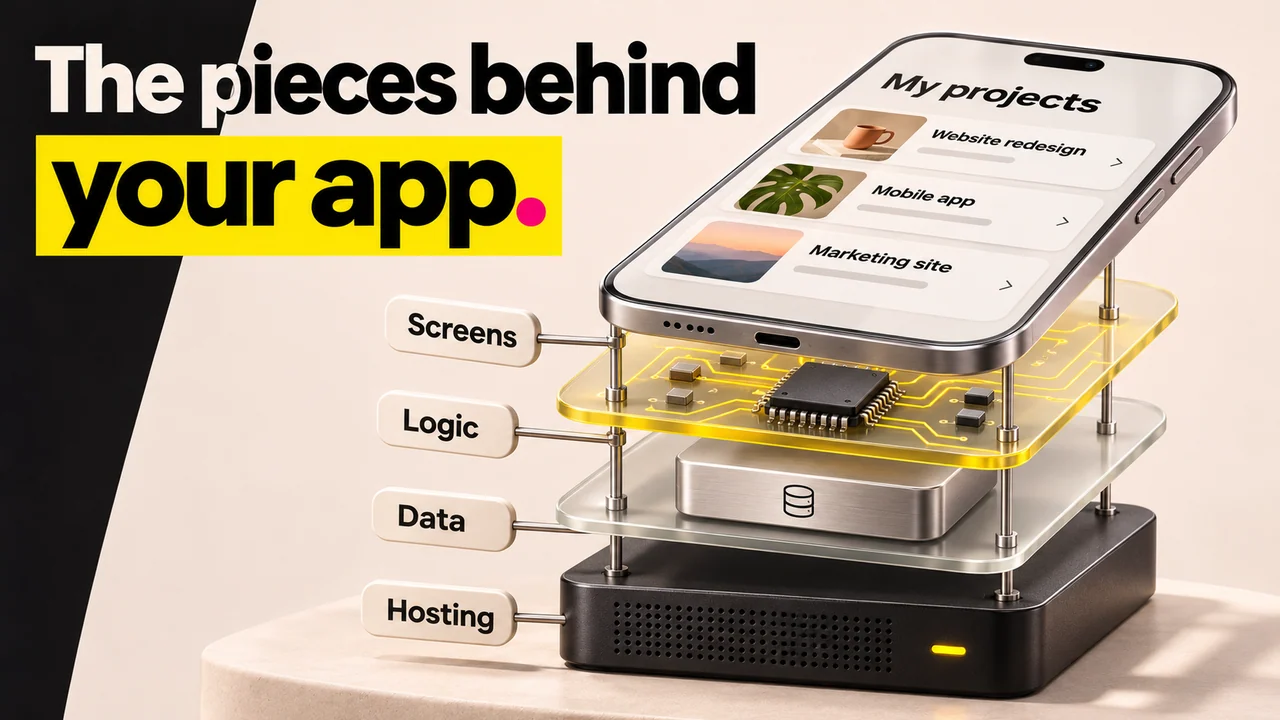
A backend is the part of your app that stores data, enforces rules, and talks to other services, all of it running on a server rather than on the user's device. The frontend is what the user sees and taps. A backend can manage accounts, shared data and access rules. Some saved data and app logic can also live on the device.
Think of a restaurant. The frontend is the dining room and the menu. The backend is the kitchen, the fridge, and the recipe book.
If your app is just a menu, you may not need a kitchen. The second you want to save an order or charge a card, you do.
A "full-stack" app simply means you have both halves wired together.
Apps That Don't Need a Backend
Some apps genuinely run on the device alone, with no server behind them. The common cases:
- A calculator or flashlight: no data to save, no users to tell apart.
- An offline single-player game: the state lives on the phone.
- A static portfolio or landing page: content that rarely changes and belongs to one owner.
- A local note-taker: notes stored only on that one device.
The pattern: nothing needs to leave the device, and nothing is shared between people.
Here is the catch. This list breaks the instant you want notes to sync across your phone and laptop, or a high score that follows a player onto a new device. That needs a synchronisation or recovery approach, often using a backend. A deliberate backup or export can also protect local data.
So it is less "is my app simple" and more "does any data need to outlive this one device."
Features That Almost Always Require a Backend
This is the decision fulcrum. These features usually need a trusted service behind the interface, whether you build it or use a provider:
- User accounts and login: passwords and sessions have to be verified and stored somewhere safe.
- Shared data: information that must be available to authorised people across devices. Saving on one device alone does not require a server.
- Payments: use a payment provider for card handling and a trusted backend for secret keys and payment confirmation. A hosted payment link may avoid custom backend code.
- Remote push notifications: a trusted sending service is needed. On-device reminders are a different feature.
- Server-side rules: logic you do not want users to see or tamper with, like pricing or permissions.
- Secret API keys: calls to paid services that must stay hidden from the browser.
Each one of these, on its own, pushes you out of frontend-only land.
Here is the honest part most "no-code is enough" posts skip. Adding even one of these to a frontend-only build is a bigger lift than it looks. It is not a toggle. It is a new layer.
If you are checking off two or more of these, assume the answer to "do I need a backend for my app" is yes.
The Three Build Paths (and What Each One Actually Costs)
Once you know you need a backend, you have three real options. They trade speed, cost, and control.
| Approach | Best for | Time to ship | Starting cost | Main catch |
|---|---|---|---|---|
| Third-party APIs | Adding a particular service, such as login or checkout | Depends on integration | Free allowance or usage-based | You still need to join services safely |
| BaaS (Supabase / Firebase) | Managed data, accounts and storage | Depends on scope | Free allowances; paid plans or usage | Access rules, billing limits and integrations remain your job |
| Custom backend | Specific rules, integrations or control needs | Depends on scope | Hosting, usage and development time | You maintain the custom code |
Third-party APIs. You plug in a ready-made service for one job. For example, you could add Clerk for login or a payment provider for checkout, without building that part yourself. Fast, but every service you add is one more thing to wire up and maintain.
Backend-as-a-Service (BaaS). This can be a useful starting point for non-technical founders. A tool like Supabase gives you a database, built-in authentication, file storage, and real-time updates, no server to manage. Firebase does the same with a different flavor of database.
The Supabase pricing page lists a free plan with a 500 MB database, 1 GB file storage and 50,000 monthly active users, subject to its other limits. Free projects can pause after a week of inactivity. Pro starts at $25 per month; extra projects, usage and add-ons can increase the total. Checked 7 November 2026.
Firebase pricing separates the no-cost Spark plan from usage-based Blaze billing. Limits and billing requirements differ by service, so compare your expected reads, storage, traffic and authentication needs rather than assuming either platform is always cheaper.
A managed backend can save setup work. It does not establish a two-to-three-week delivery promise: your features and required checks still determine the schedule.
Custom backend. You or an engineer writes the server-side rules, often using an existing framework and managed hosting. This gives you more control and more maintenance responsibility. There is no universal $500 monthly minimum: estimate hosting, traffic, engineering and support separately.
Most people do not need to start here.
How to Tell What Your AI Builder Actually Gave You
Here is the section nobody else writes. If you already built something with a tool like Bolt, Lovable, or Replit, you may not know what is actually running underneath.
Prompt-to-app tools can connect databases and other backend services. A working-looking demo is still worth checking for real saving, account separation and error handling.
Run these four checks.
- Refresh and look. Enter some data, reload the page, and check if it is still there. If it is gone, saving may be missing, failing or not connected to that screen.
- Close and reopen on another device. Does your account and your data follow you? If not, cross-device access may be absent or broken; inspect the setup before concluding why.
- Ask where the data lives. Ask the builder to identify the storage and show a successful write and read. A backend may store files or use other services without its own database.
- Try to log in as a second person. Real user accounts need a backend. A fake login screen does not count.
If your app fails these, you have an open question to investigate before trusting its data handling.
That is not a failure. It just means the next step is deciding which of the three paths above fits, before you ask your builder for more.
How MoreMagpie Helps You Choose the Right Approach
MoreMagpie is in development, with the waitlist open. This section describes the experience being built, not a promise that every route in this guide is available in the public app.
Let's be upfront. MoreMagpie does not build the backend for you. It is a companion that helps you choose the right approach and hand your AI builder a clearer brief.
Here is the direction MoreMagpie is being built towards. It is early and currently gathering waitlist signups; this is not a claim that the public site can analyse your app today.
Compare approaches, not just the first answer. The first answer your AI gives is rarely the whole picture. MoreMagpie helps you compare approaches, costs, and trade-offs for the same idea, for example BaaS versus a custom backend, so you get clearer choices instead of one option presented as the only one.
See the catch before you commit. For every suggested tool or approach, MoreMagpie aims to show what it does, why it helps, how it connects to the rest, and the costs, limitations, and questions still to answer. That is how you avoid picking a path without understanding its limits.
Carry a better brief into your build. It explains how pieces fit together, think Next.js, Supabase, and Clerk as a stack, then tells you what to ask your AI builder and what still needs checking.
So you keep your usual builder. You just walk in knowing more.
Frequently Asked Questions
Does every app need a backend?
No. An app needs a backend only when it stores shared data, handles user accounts, processes payments, sends push notifications, or runs rules on a server. Simple on-device apps like calculators, flashlights, and offline single-player games run fine without one. If data never leaves the device, you can skip the backend.
Which apps don't need a backend?
Apps that keep everything on the user's device need no backend. Common examples are calculators, flashlights, offline single-player games, static portfolios and landing pages, and local note-takers. The rule: if nothing has to be saved centrally, synced across devices, or shared between users, you can run frontend-only without a server.
Can I build a backend without writing code?
Yes. Backend-as-a-Service tools like Supabase and Firebase give you a database, authentication, and storage without managing a server, and much of it is configured visually. Visual backend tools like Xano let non-technical builders launch without engineers. You still make real decisions, but you avoid writing server code from scratch.
What is the difference between a backend-as-a-service and a custom backend?
A backend-as-a-service (BaaS) supplies managed services such as data, accounts and storage. Custom backend code gives you more control over your own rules and integrations. They can be combined; neither has a universal delivery time or monthly bill.
Is a backend the same as a database?
No. A database is one part of a backend, the place where data is stored. A backend also includes the server logic that enforces rules, authentication that verifies users, and the connections to other services. Think of the database as the fridge and the backend as the whole kitchen around it.
Can I build a mobile app backend without backend engineers?
Yes. Backend-as-a-Service platforms like Supabase and Firebase handle the database, authentication, and storage for you, and visual tools like Xano are built so non-technical founders can launch without hiring engineers. You still need to understand your choices and trade-offs, but you do not need to write server code yourself.
Where to Start: Matching Your App to the Right Path
The honest version: the answer depends on what your app actually does, not on how it looks.
Map your situation to a path.
- No shared data, nothing leaves the device. Stay frontend-only. A calculator or offline tool does not need a backend, and adding one is wasted effort.
- You need accounts, saved data, or payments, and you want to move fast. Compare managed services such as Supabase or Firebase. Their free allowances can help with a prototype, but payments still need a provider and safe integration.
- You have complex rules, strict control needs, or real scale ahead. Consider custom backend code alongside managed services, and price the actual workload and maintenance.
One reality check. The choice you make now shapes how hard it is to change later, so it is worth understanding the trade-offs before you commit, not after.
That is exactly the gap MoreMagpie is built to fill. It helps you explore more possibilities, see the costs and catches plainly, and carry a clearer brief into your usual AI builder. The product is early and gathering waitlist signups, so if you want help choosing before you build, join the waitlist.