
TL;DR
- There are 3 approaches to connect hardware to a web app: browser device APIs, a local bridge, or cloud IoT. The right one depends on where the hardware sits and which browsers your users have.
- Browser device APIs have different browser and device limits. For example, current MDN data lists Web Serial in Firefox 151 as well as Chromium browsers, while WebHID remains much more limited. Check the particular API, browser and operating system.
- The local bridge pattern runs a small native app on the user's machine that exposes devices over a local REST or WebSocket endpoint. It can cover browsers without direct device APIs, but needs an installed helper plus careful security and compatibility checks.
- Cloud IoT connects the device to a broker (for example, AWS IoT Core or EMQX) over MQTT, and your web app can receive data over a secure WebSocket connection, commonly on port 443. Best for networked or remote hardware.
- Choose browser device APIs for a local device and a Chrome-only audience; choose the local bridge for mixed browsers; choose cloud IoT for networked or remote devices.
- 👉 Skip guessing which route fits: MoreMagpie shows you all three approaches with the catch on each, then hands you a clearer brief for your AI builder. Join the waitlist.
Your Web App Can't Just Grab a USB Device. Here's Why.
You have a device in your hand. A sensor, an Arduino, a label printer.
You assume the browser can just see it. It can't.
By design, web apps in your browser cannot commandeer your computer's hardware the way installed desktop software can. Browsers use sandboxing to limit what code from the internet can reach.
So "just plug it in" fails. And most advice online stops at a single API without telling you it only works in one browser.
Here's what we'll cover:
- what connecting even means
- the browser-native route
- the 2026 support numbers
- the install-a-helper route
- the cloud route
- how to actually choose
- what people get wrong
The browser sandbox is real. There is no single switch.
But there are three solid routes, and this guide maps each one with its catch.
What "Connecting Hardware" Actually Means for a Web App
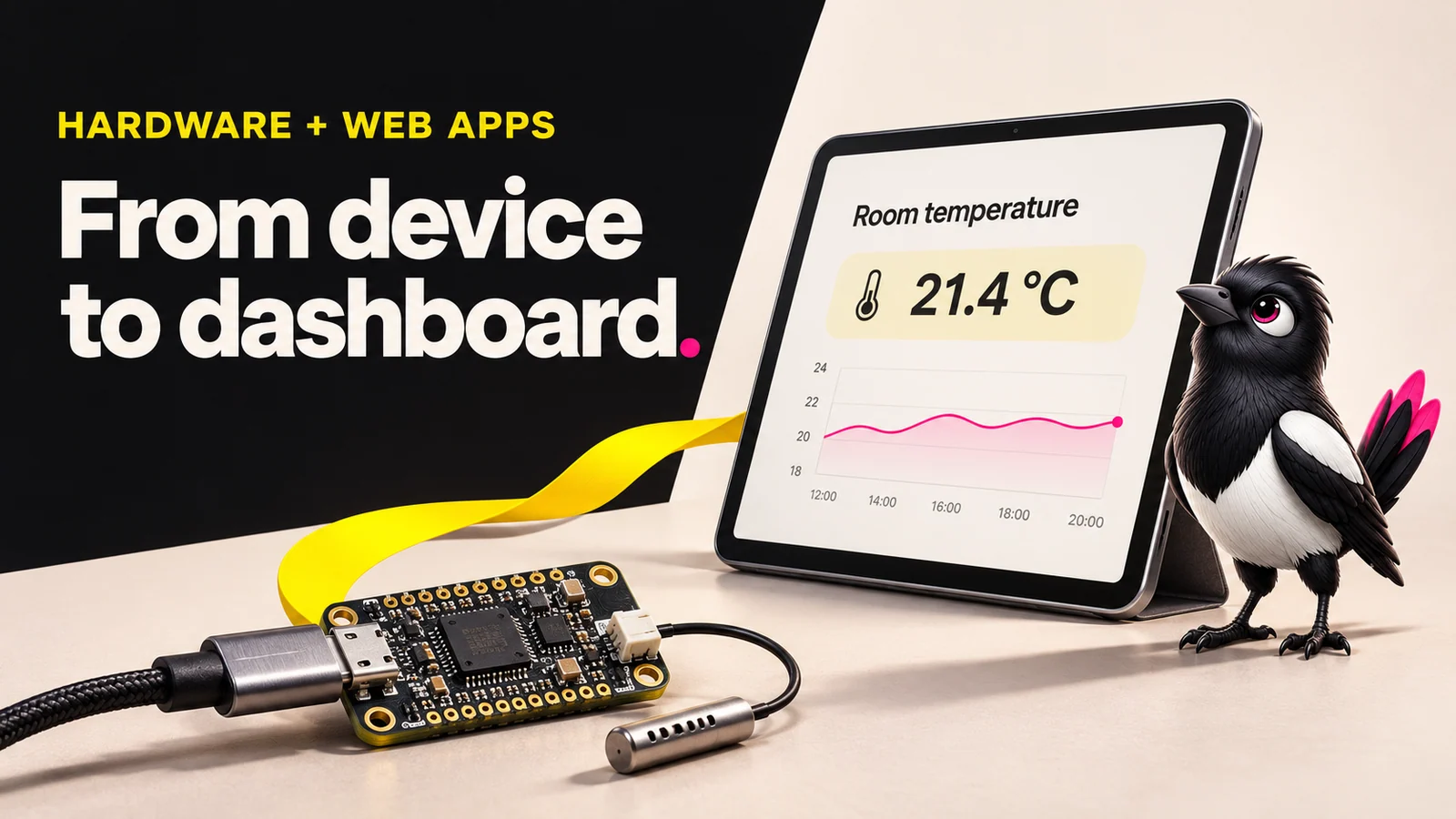
About this illustration
AI-generated editorial illustration. Devices and interfaces are illustrative, not screenshots of tested products or proof of integration.
Connecting hardware to a web app means choosing one of three crossing points, because the web app runs inside a browser sandbox and cannot touch devices directly. Your three options are the browser's own device APIs, a local bridge app running on the user's machine, or a cloud service that both the device and the web app talk to.
Everything flows from one question: where does the hardware live?
If it is plugged into the user's computer, you look at browser APIs or a local bridge. If it is networked, remote, or a microcontroller with Wi-Fi, you look at the cloud.
Here is the full map in one table.
| Approach | Hardware location | Browser support | Key limit |
|---|---|---|---|
| Browser device APIs (WebUSB, Web Serial, WebHID, Web Bluetooth) | Local USB, serial or Bluetooth device | Varies by API, OS and browser | No universal support; check the exact device and permission flow |
| Local bridge / native helper | Local device | Can support a broader browser audience | Needs installation, protected endpoints and browser/network checks |
| Cloud IoT (MQTT over WebSocket) | Networked, remote, or Wi-Fi microcontroller | Browsers supporting secure WebSockets | Authentication, latency, service cost and more moving parts |
Keep this table open. The rest of the guide fills in each row.
Approach 1: Browser Device APIs (WebUSB, Web Serial, WebHID, Web Bluetooth)
What it does: Lets a web page talk directly to a device plugged into the user's machine, no install required.
Why it helps: It is the cleanest option when it fits. No helper app, no cloud, low latency.
The catch: Support differs between APIs and platforms. Chromium browsers cover several routes, but Firefox now supports Web Serial on desktop according to MDN’s compatibility data. That does not give Firefox WebUSB or WebHID support. One shared rule applies to all four: access requires a user gesture, a chooser dialog that the user clicks. You cannot silently request a device.
A quick warning worth repeating: only give device access to a trusted site. What it can read or change depends on the device protocol and the access allowed. Some devices expose powerful commands, including firmware changes.
That is a lot of power behind one click.
There are four APIs. Here is what each one is for.
Web Serial API
What it does: Reads and writes serial data over USB CDC, Bluetooth RFCOMM, and RS-232. This is your route for an Arduino in serial mode.
The Web Serial API first shipped in Chrome 89 in March 2021. It works in Chrome 89+, Edge 89+, and Opera 76+ on desktop. Firefox added native support from version 151 on desktop, and the current MDN data lists Chrome Android support from version 148, with narrower Bluetooth serial support before that. Safari and iOS: no.
WebUSB API
What it does: Lets a permitted website exchange data with compatible USB devices. Some custom protocols and firmware-update workflows are possible; protected interfaces and operating-system drivers can prevent access.
WebUSB is natively supported only by Chromium-based browsers. Firefox and Safari do not support it. If your device uses a custom USB class rather than a serial port, this is the API you reach for.
WebHID API
What it does: Talks to human-interface devices such as specialised controllers and custom HID hardware. Protected keyboard and mouse interfaces are restricted.
WebHID has limited browser support. It runs on Chrome 89+, Edge 89+, and Opera 76+. It does not work on Firefox, Safari, or mobile. WebHID is a desktop-only approach today.
Web Bluetooth API
What it does: Connects to Bluetooth Low Energy devices, like fitness sensors or BLE beacons.
Web Bluetooth works in Chrome 56+, Edge 79+, Opera 43+, and Samsung Internet 6.2+. It requires a secure context, meaning HTTPS or localhost. Firefox and Safari do not support it.
Browser Support Limits as of 2026: The Numbers That Matter
Support is a browser-and-platform decision, not a single green tick. Desktop Chromium supports these APIs with device and OS limits. Current MDN data lists Firefox desktop Web Serial from 151, while Safari does not support these four APIs.
Check the linked compatibility tables for your target devices. The following is a documentation snapshot checked on 7 November 2026:
- Web Serial: Chrome 89+, Edge 89+, Opera 76+ desktop. Chrome Android from 148. Firefox 151 desktop. No Safari, no iOS.
- WebUSB: Chromium browsers only. No Firefox, no Safari.
- WebHID: limited support. Chrome, Edge, Opera desktop only. No Firefox, Safari, or mobile.
- Web Bluetooth: Chrome 56+, Edge 79+, Opera 43+, Samsung Internet 6.2+. Needs HTTPS. No Firefox, no Safari.
- iOS: iPhone and iPad do not allow USB, Serial, or HID devices to connect to webpages in Chrome.
The plain-English rule: choose against the exact API and your users’ devices. A Web Serial app and a WebHID app do not have the same browser coverage.
Nobody tells you this part up front.
Approach 2: The Local Bridge Pattern
What it does: Installs a small native app on the user's machine that talks to the device over USB or serial, then runs a local web server exposing that device over a REST API or WebSocket. Your web app calls that endpoint.
Why it helps: Direct browser-to-device communication is impossible for many devices, so a native app can bridge the gap and run a server that exposes them. The potential win: support for browsers without the required device API, if the helper supports their operating system and the browser permits the connection.
The catch: The user has to install software. That is friction, plus a support surface you now own. Updates, antivirus warnings, and port conflicts all become your problem.
For example, a helper can read a serial sensor and expose a tightly scoped endpoint on the same machine. It must validate the requesting site, authenticate access and protect device-changing commands. Browser rules still apply: Chrome now prompts for Local Network Access, and secure-context, mixed-content and cross-origin restrictions need checking.
This is the pragmatic route when the browser APIs do not reach your audience.
Approach 3: Cloud IoT (MQTT over WebSocket)
What it does: The hardware sends readings to a service such as AWS IoT Core or EMQX using MQTT. A browser dashboard can use MQTT over secure WebSockets where the service supports it. Azure IoT Hub also supports MQTT, but its topic and messaging model is restricted; it is not a drop-in general-purpose broker.
Why it helps: It can work in browsers that support secure WebSockets and suits networked devices, remote hardware, or microcontrollers with Wi-Fi. AWS IoT Core supports Secure MQTT, MQTT over WebSocket Secure, and HTTPS, so your browser dashboard and your device can use the same backend.
The catch: More moving parts, broker cost, and added latency compared to a local connection. You are now running cloud infrastructure, not just a web page.
This also settles a common confusion. MQTT and WebSocket are not competing choices. MQTT is the protocol the device speaks. WebSocket is how the browser connects to the broker. WebSockets are useful for browser dashboards because browser JavaScript cannot open a raw MQTT TCP connection. Devices can also use WebSockets where supported. You use them as two layers of one stack.
How to Choose: Matching Your Situation to an Approach
Use this as the Hardware Connection Decision Framework. Match your situation to the approach.
Situation 1: The device is plugged into the user's machine, your users are on Chrome or Edge, and you want low latency with no install. Use browser device APIs.
Situation 2: The device is plugged into the user's machine, but your users are on mixed browsers including Safari, or you need deeper OS integration. Use the local bridge pattern.
Situation 3: The device is on a network, remote, or a Wi-Fi microcontroller, and you need a dashboard or multi-device visibility. Use cloud IoT with MQTT over WebSocket.
One honest note: these approaches combine. A local bridge can forward readings to a cloud broker. A dashboard can combine cloud readings with data from a nearby Bluetooth device. The first answer is rarely the only answer.
Common Mistakes When Connecting Hardware to a Web App
1. Assuming any browser will work with WebUSB or Web Serial. Unsupported APIs may be absent or reject a request. Fix: check support and permission errors explicitly, then offer a supported route.
2. Skipping HTTPS. Web Bluetooth and WebUSB require a secure context. Localhost is fine for development, but plain HTTP will not work in production. Fix: serve over HTTPS.
3. Calling a device API without a user gesture. The chooser dialog requires a real click event. Calling it on page load throws an error. Fix: trigger device requests from a button click.
4. Using MQTT over raw WebSocket on port 80 inside an HTTPS page. Mixed-content rules block it. Fix: use a supported secure WSS endpoint, commonly on port 443.
Most of these only show up after you have built half the thing.
How MoreMagpie Helps You Pick the Right Approach Before You Build
MoreMagpie is in development, with the waitlist open. This section describes the experience being built, not a promise that every route in this guide is available in the public app.
The hard part is not writing the code. It is knowing these three routes exist before you commit to one.
MoreMagpie is a companion for non-technical founders and AI builders, built on the idea that the first answer isn't the whole picture.
It shows you more than the first option. When you ask an AI builder how to connect your device, it tends to hand you one route. MoreMagpie is being built to surface alternative approaches and their limits before you pick. This guide illustrates that approach; it does not claim all three routes have been integrated or tested in the public product.
It names the catch, not just the benefit. For each approach, MoreMagpie aims to show what it does, why it helps, how it connects to the rest of your stack, and the costs and limits still to answer. It also labels guidance as Documented, drawn from official sources, or Tested, actually tried with stated limits, so you know what you are relying on. It will note when tools have not been tested together for your specific project.
It hands your builder a clearer brief. You take the decisions and next checks into your usual AI builder, whether that is Bubble, Replit, or something else, so you brief it with the right approach instead of letting it choose one blindly.
Honest note: MoreMagpie is early and is currently gathering waitlist signups.
Frequently Asked Questions
What is the difference between WebUSB and Web Serial API?
Web Serial covers USB CDC devices like an Arduino in serial mode, plus Bluetooth RFCOMM and RS-232. WebUSB exposes permitted USB interfaces for compatible devices, including some custom protocols. Protected interfaces and driver ownership can limit access. If your device shows up as a serial port, Web Serial is simpler. If it uses a custom USB class, use WebUSB.
Does Safari support WebUSB?
No. As of 2026, Safari does not support WebUSB, Web Serial, WebHID, or Web Bluetooth. If your users are on Safari or any iOS browser, the browser device APIs will not work at all. Plan for the local bridge pattern or the cloud IoT approach instead, after checking the helper, browser security rules or cloud connection requirements.
Does WebHID work on Android?
No. The current MDN WebHID compatibility data lists Chrome Android as unsupported. Android Chrome does not support it, and neither does Safari or Firefox. WebHID is currently a desktop-only approach, so plan around it for mobile users.
Should I use WebSocket or MQTT for IoT?
They are different layers, not competing choices. MQTT is the protocol your device uses to send and receive messages. WebSocket is how your browser connects to the MQTT broker. For IoT browser dashboards, you use MQTT over WebSocket together. Devices can also use WebSockets, but browser access is a common reason to choose that transport.
How do you connect a web app to other systems?
Three main paths. Use a browser device API if the hardware is plugged into the user's Chromium browser. Use a local bridge app that exposes a protected REST or WebSocket endpoint, checking browser and OS compatibility. Or use a cloud IoT broker that both the device and the web app connect to over the internet.
Where to Start: A Plain-English Action Plan
Start with where your hardware lives and which browsers your users have. Local device plus a Chrome-only audience points to browser device APIs. Mixed browsers point to a local bridge. Networked or remote hardware points to cloud IoT over MQTT.
One honest reality check: the browser APIs are the cleanest option when they fit, but their browser-support limits are real and documented, not theoretical. Do not plan around unannounced future browser support.
The goal is clearer choices, not one answer dressed up as the only one. MoreMagpie helps you compare all three approaches, see the catch on each, and carry a sharper brief into your AI builder. Join the waitlist to try it as it opens up.