
TL;DR
- Local storage lives in one browser on one device, holds about 5MB per site, and can be deleted when browser data is cleared. Switching devices does not move it to the new device.
- A database can live on a device or a server. A shared server database helps an app make the same records available across devices, with suitable access controls.
- IndexedDB is a database built into the browser. Its storage allowance varies, and data may be evicted unless persistence is granted. It is not a backup.
- Never store sensitive data like tokens or personal info in local storage: scripts running on your site can read it, so a cross-site scripting flaw can expose it.
- Use the 3-question checklist below: check whether the data needs sharing, recovery or special protection. Those needs decide the storage design.
- Choose local storage for UI preferences, drafts, and offline caching on one device; consider a shared database for cross-device records, with a separate backup and security plan.
👉 Skip guessing where your data should live: MoreMagpie shows you the storage approaches and trade-offs before you build, join the waitlist.
Your AI Builder Asked Where to Store the Data. What Do You Actually Say?
You described your app. Your AI builder started building. Then it asked where the data should go, and you said "whatever works."
That one shrug can cost you later.
Pick local storage when you needed a database, and the new phone will not have the saved data. Pick a database when local storage would have done, and you add cost and complexity you did not need.
Most guides on this topic are written for developers who already code. This one is for the non-technical founder trying to give an AI builder a clear answer.
Here's what we'll cover:
- the browser-only option
- the shared source of truth
- side-by-side differences
- when browser storage is enough
- when you need the real thing
- the 3-question decision test
What Is Local Storage?
Local storage is a browser feature that saves small pieces of data as key-value pairs directly on one device, with no server involved. The data stays put after the user closes the tab or restarts the browser, and it belongs only to that one browser on that one device.
Think of it as a sticky note inside a single browser.
It is simple and fast. It needs no backend: local storage does not require any server or database, because it is a self-contained browser API that stores data strictly on the client's device.
What it cannot do: it cannot search, filter, or sort data for you. It cannot share data with another user or another device. And it holds only strings, so anything more complex has to be converted first.
What Is a Database?
A database stores organised records and provides ways to retrieve and update them. It does not have to live in the cloud: SQLite can run inside a local app, and IndexedDB runs in the browser. A server database is the shared version many multi-user apps need.
If local storage is a sticky note, a database is an organised filing cabinet. That cabinet can be local or shared.
The old rule still holds: you use local storage for information relevant only to the particular client running your app, and a server database for shared information that matters beyond that one local user, with backups and access rules configured.
One honest note: the type of database (SQLite, a cloud database, and so on) is a separate decision from whether you need a database at all. The tools are a separate choice from the job.
Local Storage vs Database: The Key Differences (2026)
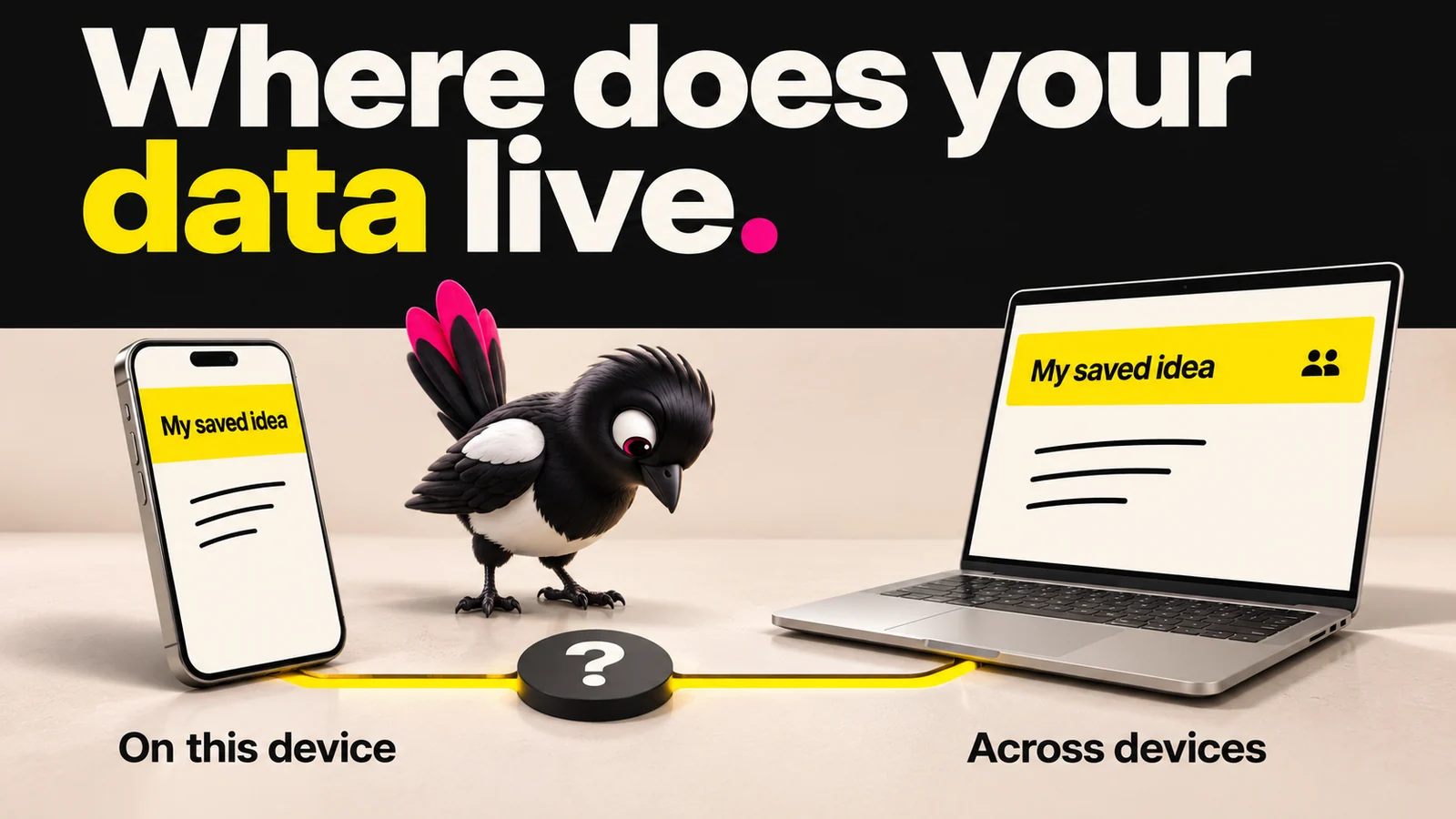
About this illustration
AI-generated editorial illustration. Devices and interfaces are illustrative, not screenshots of tested products or proof of integration.
Local storage keeps data on one device for one user; a server database can keep authorised users working from the same searchable records. Here is the full picture.
Local Storage vs Database: Decision Table
| Factor | Local storage | Shared server database |
|---|---|---|
| Capacity | Typically about 5 MiB per site origin | Limited by plan, configuration and available storage |
| Persistence | Can survive closing the browser; user can clear it | Depends on retention, backups and service operation |
| Scope | One browser profile on one device | Can serve authorised users across devices |
| Query power | Key-value access; app code handles searches | Queries, indexes and relationships vary by database |
| Multi-user support | No built-in sharing | Can support it with access controls |
| Requires a backend | No | Yes, including a managed service |
| Sensitive data | Exposed to scripts on your site | Requires deliberate security; not automatically safe |
Two catches trip up founders most.
The size cap: MDN documents about 5 MiB for local storage per origin. IndexedDB has a browser- and device-dependent allowance rather than a universal 50 MB minimum. Browsers may clear best-effort data under storage pressure; requesting persistent storage can reduce eviction risk, but users can still delete it.
The security catch: local storage is accessible to JavaScript running on your site. OWASP advises against storing sensitive data or session identifiers there. Moving data to a server does not secure it by itself: authentication, access rules and safe session handling still matter.
The size limit is only part of the decision. You also need a recovery plan for data that matters.
When to Use Local Storage (and When Not To)
Local storage is the right call when the data belongs to one user on one device and losing it would be a mild annoyance, not a disaster.
For example, you could use it for:
- UI preferences like dark mode, language, or layout choices.
- A draft the user is typing before they hit submit.
- Caching the last item someone viewed so the page loads faster.
- A small offline preference or cache. Important offline records deserve structured storage and an export or backup path.
When not to use it:
- Anything that must survive a browser clear or a switch to a new device. Plan for user deletion and storage-policy limits.
- Anything more than one user needs to see.
- Anything sensitive, like login tokens or personal details.
The goal here is a clear choice, not a blanket rule. Local storage is a fine first tool for the right job.
When to Use a Database (and What Type to Consider)
Consider structured storage when you need reliable queries, and shared storage when data must travel between people or devices. If a second user or a second device needs to see the same information, local storage cannot do it.
For example, you could use a database for:
- A multi-user app where people see each other's posts, bookings, or messages.
- Any data that must survive a device switch or a reinstall.
- Anything you need to search or filter, like a product catalog or order history.
- User accounts and anything tied to a login.
On types, you will mostly meet two families. SQLite is a long-standing, stable, single-file database that is easy to manage and integrate, good for simple local or offline apps. Server and cloud databases are for data that must be shared beyond one user. Large files such as images and video often belong in object storage, with the database keeping their references. Compare storage, request and transfer charges for your own workload.
This is where a tool stack starts to form. Understanding how each piece connects matters more than memorizing a list of names.
The 3-Question Checklist: Which Do You Actually Need?
Here is the fastest way to decide. Answer three plain questions.
- Does more than one user or device need to see this data? If yes, plan shared storage and synchronisation. Local storage cannot do that by itself.
- Would losing it be a real problem? If yes, plan backups, export and recovery. A database alone is not a backup.
- Is it sensitive? If yes, decide who can access it and how it is protected. Do not assume either local or cloud storage makes it safe automatically.
A "yes" means the storage design needs more care than dropping values into local storage. A "no" to all three means local storage may be enough to start.
One honest reality check: many apps need both. A local cache for responsiveness, and a shared database for records that need to follow the user. That is normal, and you can build toward it in stages.
How MoreMagpie Helps You Make This Call Before You Build
MoreMagpie is in development, with the waitlist open. This section describes the experience being built, not a promise that every route in this guide is available in the public app.
The first answer your AI builder gives you is rarely the whole picture.
MoreMagpie is a companion for non-technical founders and AI builders. It helps you compare approaches, see the catches, and carry a clearer brief into your usual builder, instead of accepting the first option by default.
Here is how that applies to the storage decision.
Compare the approaches: local storage versus a database is a classic two-path choice with different trade-offs. MoreMagpie is built to help you compare approaches, costs, and trade-offs for the same idea, so you get clearer choices rather than a single answer presented as the only option.
Know the catch: for every suggested tool or approach, MoreMagpie aims to show what it does, why it helps, how it connects to the rest, and the costs, limitations, and questions still to answer. The eviction risk, the device-lock, the security limits: these are exactly the catches it surfaces alongside the upside.
Leave with a better brief: MoreMagpie's flow runs in four steps. Describe your idea, explore more possibilities, understand the benefits, costs, and catches, then take the decisions and next checks into your build. It tells you what to ask your AI builder and what still needs checking. It also labels its guidance as Documented (from official sources) or Tested (actually tried, with limits), so you know what you are relying on.
One honest note: MoreMagpie is early and currently gathering waitlist signups. You can join the waitlist to get in.
Frequently Asked Questions
Is local storage a database?
Local storage is a small browser key-value store, without the query and transaction features of a database such as IndexedDB. A database is not necessarily remote or shared: both IndexedDB and SQLite can keep data on one device.
Does local storage need a backend?
No. Local storage does not require any backend server or database. It is a self-contained browser API that stores data strictly on the client's local device. That makes it quick to start with for simple, single-user data. The trade-off is that sharing, backup and recovery need an explicit design; local storage does not provide them automatically.
Can local storage sync across devices?
No. Data saved in local storage is confined entirely to the specific device and browser profile that created it. There is no built-in syncing. If your user logs in on a phone and then a laptop, the laptop will not see the phone's local storage data. For data that follows a user across devices, you need a synchronisation service or another explicit transfer mechanism.
When should I use local storage instead of a database?
Use local storage when the data belongs to one user on one device and losing it would be a minor annoyance. Good examples are UI preferences, unsaved drafts, and caching for speed. Use a more complete storage design when records need sharing, recovery or special protection.
Is it safe to store user data in local storage?
Do not put secrets or session identifiers in local storage. Scripts on your site can read them, including malicious scripts introduced by an injection flaw. Use an appropriate authentication and data-protection design; a database alone is not the fix.
Putting It Together
Local storage and a database are not competitors. They are tools for different jobs, and the 3-question checklist tells you which job you have in front of you.
Shared records usually need shared storage. Important records need recovery, and sensitive records need access controls. One-device, low-stakes preferences can live in local storage.
The honest reality: most real apps end up using both, and that is fine to grow into one step at a time.
When you are not sure which path fits your idea, MoreMagpie helps you compare the approaches and their catches so you can carry a clearer plan into your AI builder. It is early and gathering signups, so join the waitlist if you want in.